Graphical User Interface
XLRON includes a browser-based graphical user interface that exposes every configuration option, every execution mode, and every preset — without requiring users to memorise CLI flags. Launch it with:
xlron
This starts a Streamlit server. Open the printed URL in your browser, configure your experiment, and click Run.
What the GUI gives you
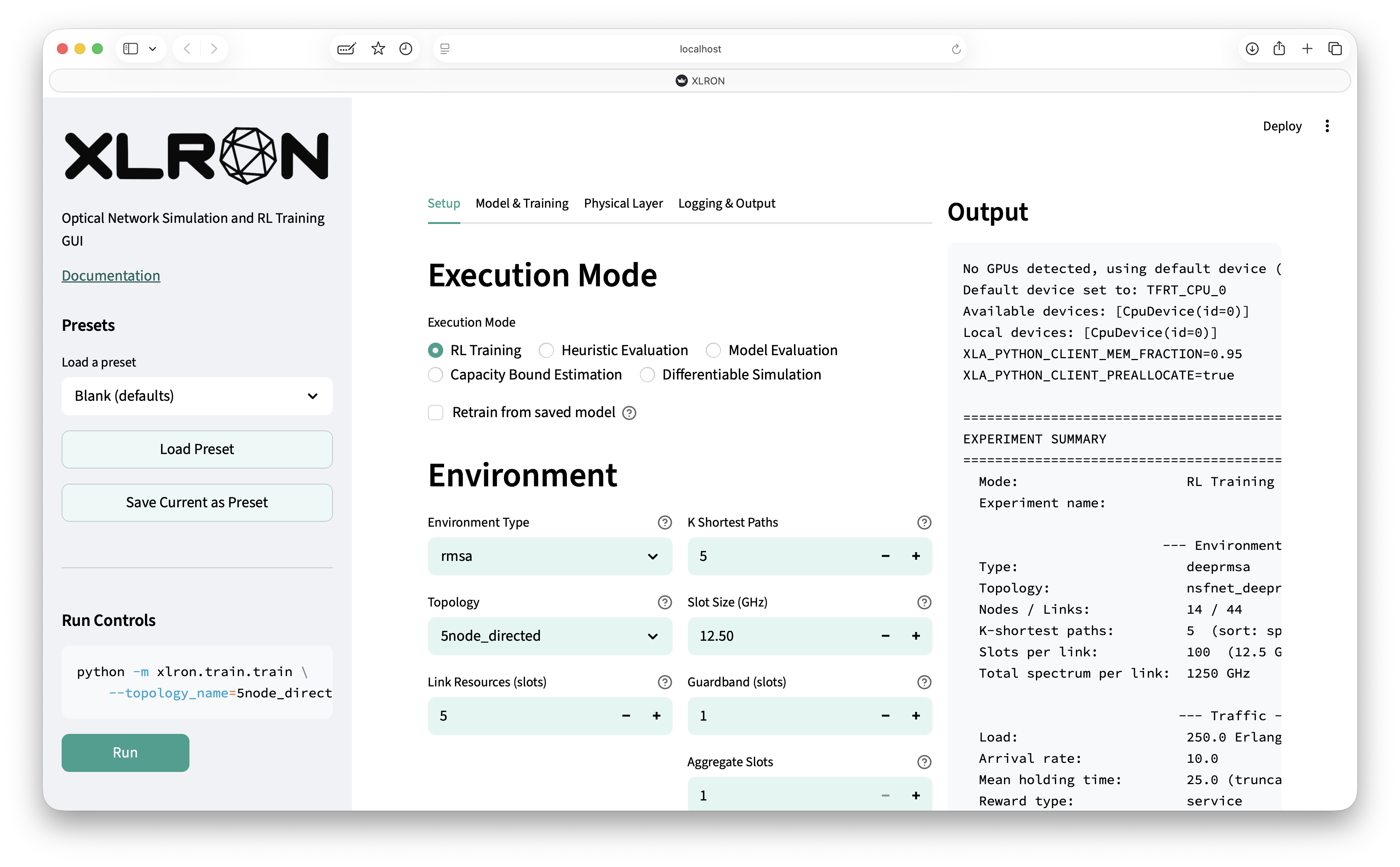
- Tabbed configuration — Setup, Model & Training, Physical Layer, Logging & Output. Every flag is surfaced with a descriptive tooltip.
- All execution modes — RL training, heuristic evaluation, model evaluation, capacity bound estimation, differentiable optimization.
- Presets — save and reload a complete configuration as a single click. Includes ready-made presets like
gerard2025(the C+L-band 90-channel system used for the physical layer validation). - Live output stream — the right-hand panel shows the constructed CLI command, live training progress, blocking probability, and other metrics as they appear.
- Render visualisation — for any environment, the network state can be rendered live (per-link spectrum allocation, network topology with the current request highlighted, blocking probability, utilisation, request details).
Below are two example renders of dynamic RMSA on NSFNET (DeepRMSA setting, 100 FSU/link) — the trained Graph Transformer policy on the left and the KSP-FF heuristic on the right. Each row of the spectrum panel is one link; horizontal bars are active lightpaths. See Graph Transformer for RMSA for details.
The render view is also available from the CLI by adding --PLOTTING to any xlron.train.train command.
Running the GUI on a remote server
If your A100 / H100 is on a different machine, use SSH port forwarding and open the URL in your local browser:
ssh -L 8501:localhost:8501 user@remote-host
# then on the remote host:
xlron
# back on your laptop, open http://localhost:8501
CLI is still the foundation
The GUI builds CLI commands under the hood — the Run button calls xlron.train.train with the flags it has assembled. This means everything you do in the GUI is also scriptable, and any experiment configured in the GUI can be exported to a one-liner shell command. The reverse is also true: the CLI is the right tool for parameter sweeps, batch jobs on a cluster, integration with W&B sweeps, or LLM-agent-driven workflows.
# Example: heuristic evaluation, KSP-FF, NSFNET, 100 FSU, k=5
python -m xlron.train.train \
  --env_type=rmsa \
  --topology_name=nsfnet_deeprmsa_directed \
  --link_resources=100 --k=5 \
  --load=250 --continuous_operation --ENV_WARMUP_STEPS=3000 \
  --EVAL_HEURISTIC --path_heuristic=ksp_ff
See Quick Start and Command-line options for the full set.